

Exploring the .Git Folder: Beginner Insights and Interview Essentials
A Simple Guide to the .git Folder and How Git Works
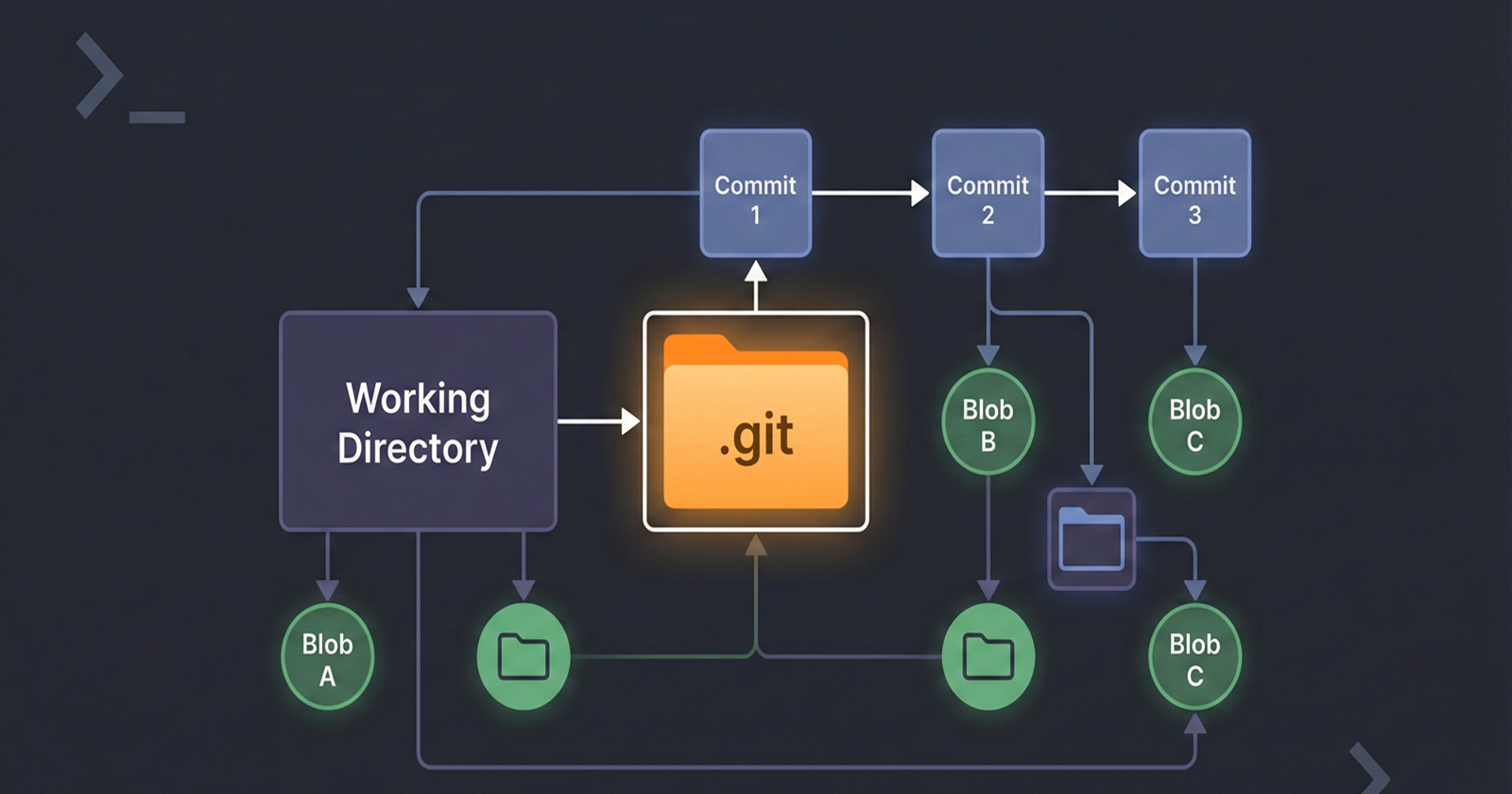
Git is one of the most commonly asked topics in developer interviews, yet many students and beginners only know Git commands — not how Git actually works.
This blog explains Git internally and conceptually, in very simple language. By the end, you’ll be able to explain Git internals confidently in interviews, not just use commands.
1. What Is Git Really?
At its core:
Git is a version control system that stores snapshots of your project using hashes.
Git is not a cloud tool, not GitHub, and not magic.
👉 Git is simply a database of objects, stored inside a hidden folder called .git.
2. Why Does the .git Folder Exist?
When you run:
git init
Git creates a hidden folder named .git.
📌 This folder:
Stores the complete history of your project
Tracks changes efficiently
Note : If the
.gitfolder is deleted, the project is no longer a Git repository.
3. What’s Inside the .git Folder?
You don’t need to remember everything, just the important parts.
Important Files & Folders
HEAD → Points to the current branch
index → Staging area
objects/ → Stores all Git data
refs/ → Stores branch and tag references
📌 Most interview questions focus on the objects folder.
4. Git Objects – The Core Idea (Very Important)
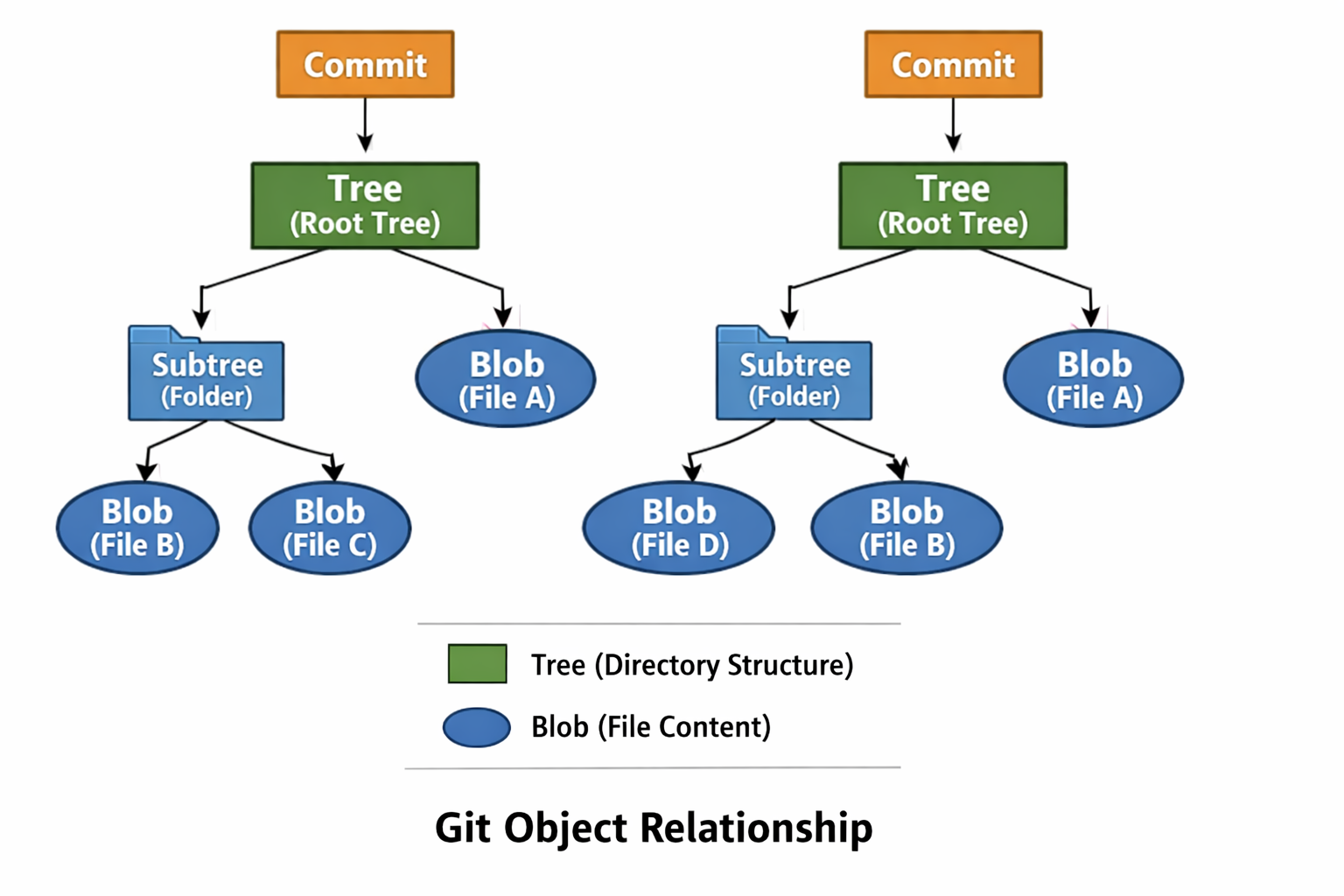
Git stores data using objects. There are three main objects you must know:
Blob
Tree
Commit
4.1 Blob – Stores File Content
A Blob stores the content of a file, not its name.
Same content → same blob
Different content → different blob
📌 Even if the filename changes, the blob remains the same if content is unchanged.
4.2 Tree – Stores Folder Structure
A Tree represents a directory.
It stores:
File names
Folder names
Links to blobs or other trees
📌 Tree answers:
Which files exist and where are they?
4.3 Commit – Stores a Snapshot
A Commit represents a snapshot of your project.
It contains:
Pointer to a tree
Parent commit(s)
Author information
Commit message
❗ Git does not store differences. It stores snapshots.
5. Relationship Between Commit, Tree, and Blob
Diagram 1: Git Object Relationship
6. How Git Tracks Changes
Many beginners think Git stores line-by-line differences.
✅ Actually:
Git stores snapshots
Unchanged files reuse old blobs
Only changed files create new blobs
This makes Git fast and memory-efficient.
7. What Happens Internally When You Run git add
Command:
git add file.txt
Internal Steps:
Git reads file content
Creates a blob object
Stores it in
.git/objectsUpdates the staging area (
index)
📌 git add only stages changes — no commit is created.
8. What Happens Internally When You Run git commit
Command:
git commit -m "message"
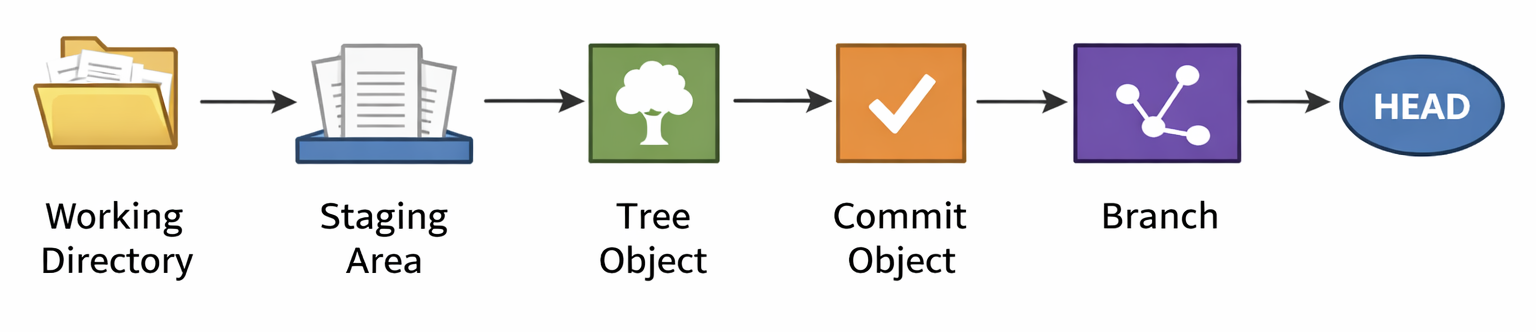
Internal Steps:
Git reads the staging area
Creates tree objects
Creates a commit object
Updates branch reference
Moves
HEADto new commit
Diagram 2: git commit Internal Flow
9. How Git Uses Hashes (SHA-1)
Git uses SHA-1 hashes to identify objects.
Why hashes are important:
Same content → same hash
Changed content → new hash
Ensures data integrity
Detects corruption
📌 Git is content-addressable, not file-name based.
🎓 10. Git Internals for Interviews (Must-Remember)
Common Interview Questions & Answers
Q1. What is stored in the .git folder?
👉 Complete Git history, objects, branches, and metadata.
Q2. Does Git store differences or snapshots?
👉 Snapshots.
Q3. What is a blob?
👉 It stores file content.
Q4. What is a tree?
👉 It stores directory structure.
Q5. What happens during git add?
👉 Blob is created and added to staging area.
Q6. What happens during git commit?
👉 Tree and commit objects are created.
11. Mental Model to Remember Git Forever
Think of Git like this:
File → Blob
Folder → Tree
Snapshot → Commit
History → Linked commits
If this is clear, Git commands become easy.
Final Words
If you understand Git internals, you don’t just use Git — you master it.
This knowledge is especially powerful for:
Interviews
Debugging Git issues
Advanced workflows
Happy learning 🚀


